
Waupaca County Wanted Fugitives
Here is the honest starting point: Waupaca County has no public online portal for active warrants. No Most Wanted page. No photo roster. No current Crime Stoppers list appears on official county sites. That gap means nothing by itself. A warrant can still exist, and absence from a list proves nothing either way. Direct confirmation through the court or agency involved remains the dependable route.
Any claimed count of fugitives, update schedule, or field list would be pure invention. A 2003 Sheriff report once described a new Crime Stoppers and Most Wanted effort. That history is not proof of a live public service today. The county's one public custody document is an inmate PDF. It is not a warrant database. A warrant question needs its own verification path.
An online gap and an actual warrant are two separate facts. A court may have an open public case while the Sheriff publishes no matching roster. A generic search hit may also lack the details that give it meaning. Save the case number. Note the date of any public entry. Then ask the responsible court or agency to confirm its own current record.
Check Waupaca County Warrant Records
For court questions, start with Wisconsin Circuit Court Access, known as WCCA. Search by name or case number. Narrow to Waupaca County where the interface allows. Read the docket events in date order. The record can show context for a warrant, a failure to appear, bond, a recall, a hearing, or a final outcome. It cannot prove current physical custody. It is not an official Sheriff wanted list.
Use what you find to identify the case and issuing court. Then seek confirmation from the Clerk or that court. For a Sheriff-held record, use the Sheriff's non-emergency and records route. The Waupaca County record lookup explains the separate custody and booking-record channels. Remember that a current-list result never clears a warrant.
- Gather the person’s exact name and, if available, a court case number.
- Search WCCA and select Waupaca County when that filter is available.
- Read the public docket chronologically rather than relying on a single event label.
- Contact the issuing court or the Waupaca Clerk for a case-specific confirmation question.
- Use the Sheriff’s non-emergency records route only for a Sheriff-held question, not as a substitute for the court file.
WCCA access opens only after a public circuit-court case exists. It can help separate a warrant-related docket event from a later hearing or outcome. It shows no booking photograph, though. It also cannot tell you whether someone sits in the Waupaca jail right now. For current custody, confirm with the jail or agency directly. Do not turn a court result into a location claim.
WCCA Status Terms for Waupaca Warrants
These are public court-docket terms read in WCCA context. They do not come from an official Waupaca wanted list. No current public list exists. A docket label gains meaning from its case, its date, and the entries that follow. When the status truly matters, verify the case with the issuing court rather than treating a search result as final.
| WCCA docket term | How to use it |
|---|---|
| Warrant | Read the linked public event, date, and later entries for the case context. |
| Failure to appear | Review the associated hearing event and any later court action. |
| Bond | Read the public case entry as a court-record item, not a current-custody finding. |
| Recall | Check the date and subsequent docket activity before drawing a conclusion. |
| Disposition | Use the public outcome or status to distinguish an charge from what happened later in court. |
WCCA holds public case information, not a complete case file. Public filed documents and certified copies belong to the filing county's Clerk of Circuit Court. Confidential, sealed, or redacted material will never appear in ordinary public online access.
Waupaca Clerk and Sheriff Confirmation
The issuing court answers case-specific questions best. Once a WCCA search turns up the case, the Waupaca Clerk can help with the local public file and copies. Keep your case number handy. Use it for every confirmation request. The Clerk, though, cannot substitute for an arrest report or a jail booking record.
Waupaca County Clerk of Circuit Court
811 Harding Street
Waupaca, WI 54981
715-258-6460
Start with the Sheriff when the question sits in the Sheriff's hands, such as how a records request is being accepted right now. A phone call works fine for that. No public warrant portal you find online substitutes for that direct confirmation. If someone calls demanding money or cites a number you never verified yourself, treat it as suspect until you confirm it on your own. That habit alone blocks most warrant scams.
Waupaca County Sheriff’s Office
1402 E. Royalton Street
Waupaca, WI 54981
Records and non-emergency: 715-258-4466
Scammers press for fast payment. When a caller insists money will clear up a warrant today, hang up and dial an official number you located yourself. Waupaca Police has flagged exactly this kind of scheme and urges people to verify contacts before sharing anything. Keep your purposes straight too. A Clerk's case question, a Sheriff records request, and a true emergency each go to a different place, so name the exact record or safety issue before you dial.
Waupaca Tips and Safety
Someone in danger? Call 911 at once. For everything else, an official non-emergency or tip line is the right channel. Never approach a person or try to track them down yourself, and stick to what an official source has already released. Your job is simply to pass along what you know. Trained officers decide what happens next.
Waupaca Police warns about payment scams. Residents should validate any contact through an independently found official number. A demand for money proves nothing. Neither does an empty inmate list or some unofficial wanted page. Keep the court case, the agency contact, and any custody question in separate lanes. The County app does include a tip function, but its listing promises no anonymity, no reward, and no warrant-specific handling. Don't mistake it for Crime Stoppers. Tips belong with law enforcement. A person's own warrant status belongs with the issuing court or an attorney. Emergencies always go to 911.
Waupaca Sheriff App Limits
Waupaca County publishes an official Android app for the Sheriff's Office. Think of it as a public-safety and contact tool. The listed features cover RAVE and Smart911 alerts, a tip button, division information, forms, community links, social updates, and contacts. The listing itself states the app is not for emergencies. Nowhere does it mention an inmate lookup, a booking feed, booking photographs, a warrant database, a reward, or anonymity. The official Waupaca County Sheriffs Office app listing documents those stated features.
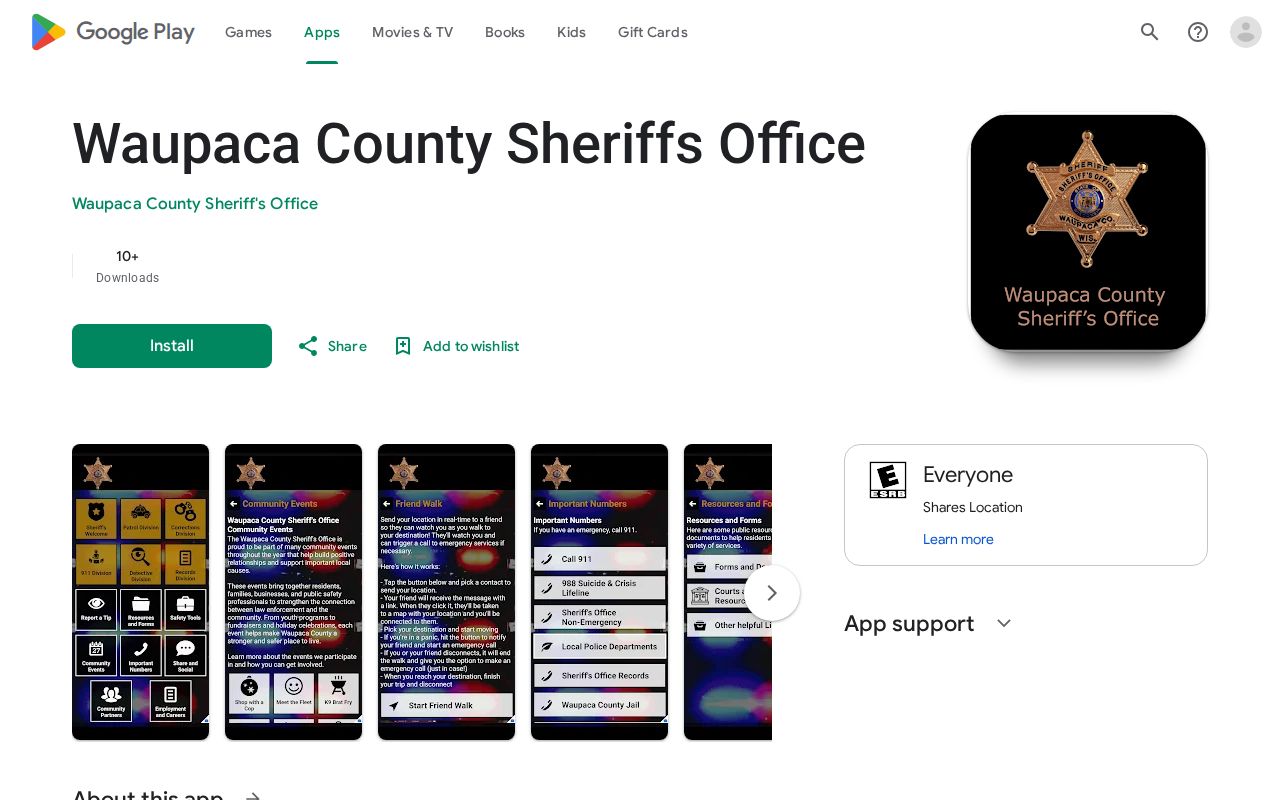
For alerts, contacts, resources, and tips, the app does its job well. It will not confirm a warrant. It creates no photo lookup of any kind. Those record questions still go to the court and the agency that holds them. App features can change over time. Before treating any new function as a warrant, custody, or records channel, check it against the official listing, which remains the source for what the app actually offers.
Federal Wanted Context and Waupaca Warrants
The U.S. Marshals Service Eastern District of Wisconsin runs its own federal wanted listings and tip lines. That is not a Waupaca Sheriff most-wanted roster. A federal listing says nothing about a local warrant. A wanted notice from any federal source is a safety matter, never an invitation to approach someone. Federal and county systems answer different questions. A Waupaca case starts with WCCA and the issuing court. A Sheriff-held question goes to the County's official non-emergency line. Keeping those jurisdictions apart stops you from reading a federal notice, a county inmate PDF, and a local court entry as one and the same status.
Note: A public source can point you toward the right office, but only the responsible court or agency can confirm its own current record.